
How to Write a Medical Explainer Video Script from an Approved Source Pack
Can your audience see how the drug works? For Medical Affairs teams, that question gives a medical explainer video script a purpose. Start with what the viewer needs to understand, then choose the source-supported steps that answer it.
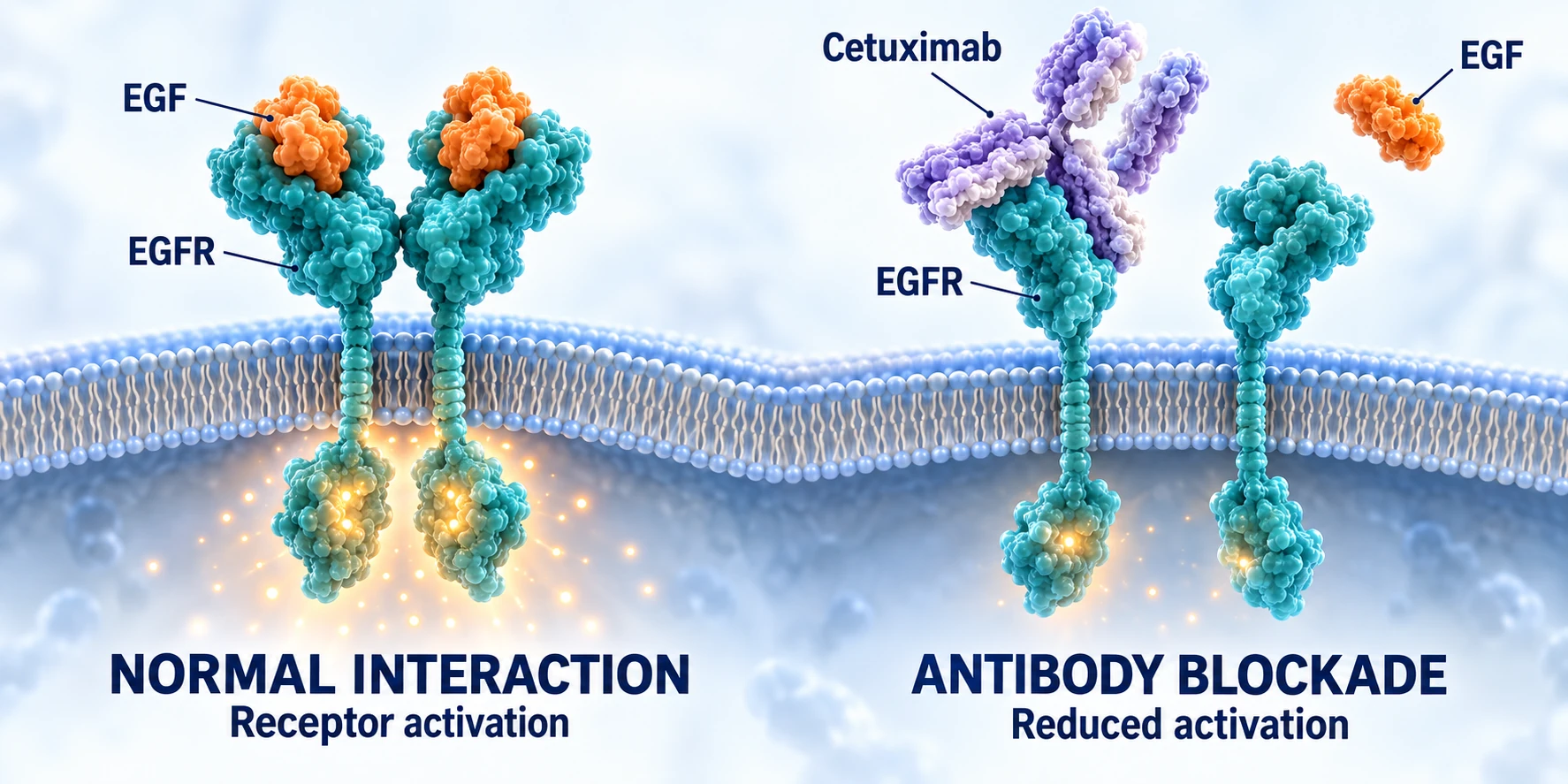
This worked example uses public Erbitux product information to illustrate one component of cetuximab's mechanism: EGFR ligand-binding blockade. It is a planning example, not a customer-approved source pack.
1. Start before the intervention
Show the normal interaction before introducing the drug. Keep the ligand and receptor names consistent across narration, labels and close-ups.
“A growth factor binds EGFR and activates signalling inside the cell.”

2. Show what changes
Now introduce antibody binding. The visual must show the intervention clearly enough for the next sentence to make sense.
“Cetuximab binds the receptor's outer surface and blocks ligand binding.”

3. Connect the consequence to the whole
Explain reduced receptor activation and receptor-dependent signalling, then pull back to reconnect the close-ups. Avoid implying that every signalling pathway switches off.
See the sequence in motion
Before production, record each scene's narration, visual instruction, source passage and review decision in the medical explainer storyboard template. Review words and visuals together.
Bionidi supports source-based 2D medical explainer videos. Discuss a source-to-video demonstration with materials representative of your work.
Source and limits: EMA Erbitux product information, section 5.1. This is not the complete drug mechanism. AI-generated molecular and workplace illustrations are schematic, not experimental images or staff/customer footage; shapes, scale and glow are qualitative.